While Mp3Juice attracts attention for its straightforward search and browser-based song download process, listeners today have a wide variety of music access models to consider. Whether your goal is building an offline library, supporting specific artists, or searching for public-domain music for your own projects, understanding how these alternatives operate, and what they require from you, helps you make better, more sustainable choices.
Access Models: From Streaming to Downloadable Files
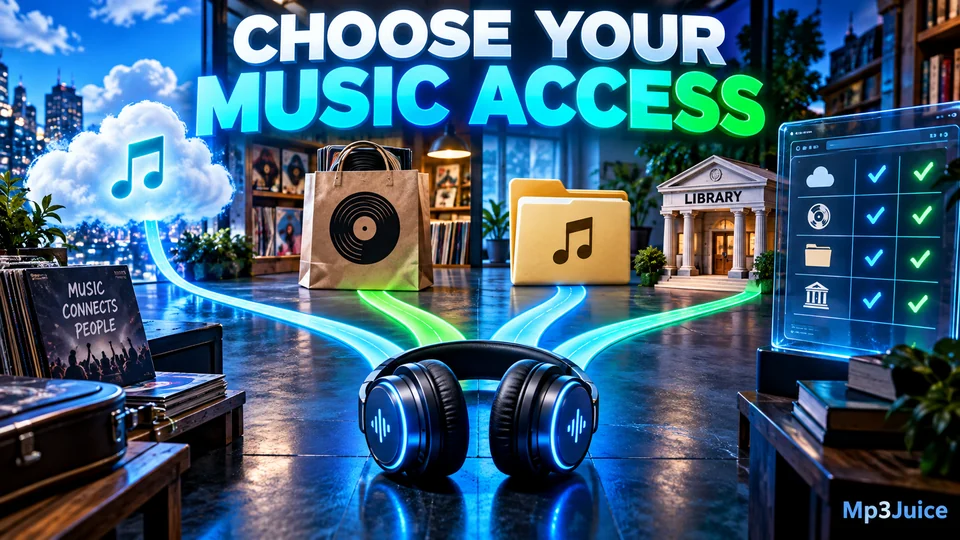
Music services differ not only by catalog but in how they give you access. Four primary models shape the listener experience:
- Licensed streaming with offline playback: Platforms that let you temporarily save tracks for offline listening if you have an account.
- Artist or label digital stores: Services where you purchase and download files, usually MP3 or FLAC, for personal collections.
- Public-domain libraries: Archives that provide music recordings (and sometimes sheet music) free from copyright restrictions.
- Authorized creator download platforms: Independent artist, netlabel, or genre-specialist platforms with legal free downloads, typically under clear usage terms.
Local Files vs App-Based Offline Listening
The distinction between a locally downloaded MP3 file and tracks stored for offline access within an app is significant. Here is a practical summary of both approaches:
| Local File Download | App Offline Library | |
|---|---|---|
| Storage | On device, accessible in file browser | Within app storage, often encrypted |
| Playback Options | Any compatible player | Usually only the official app |
| Ownership | Yours (under license/terms) | Leased as long as account is active |
| Offline Use | Always playable; no account needed | Needs periodic online check-in |
| Portability | Transfer, backup, use across devices | Typically restricted to registered devices/apps |
| Cost | One-time purchase or free (if public domain/creator-permitted) | Ongoing subscription or free/ad-supported tier |
| Permissions | Dependent on file license | Subject to app/platform terms |
Streaming Platforms Offering Offline Playback
Services like Spotify, Apple Music, YouTube Music, and Deezer have become the primary music platforms for many. Most require a paid subscription for offline listening, music is downloaded inside the app but not as standalone MP3 files. Offline tracks are encrypted, so you can't freely copy or import them outside the app.
- Pros: Instant access to huge catalogs; playlists sync across devices; no manual file management.
- Cons: Offline access is tied to your account and subscription status; music cannot be transferred or archived independently.
For a detailed look at browser-based music access, see How to Use Mp3Juice Online in Your Browser.
Artist Stores and Label-Run Download Platforms
Many musicians and independent labels sell digital downloads directly. Bandcamp is a leading example, buyers support artists and receive standard MP3 (often plus FLAC or WAV) for offline playback everywhere. Some record labels, especially in electronic, hip hop, and niche genres, operate their own stores or distribute via trusted outlets.
- Pros: Highest support for artists; files are yours to back up and play anywhere; often includes bonus assets (art, liner notes).
- Cons: Discovery may be limited to niche genres; costs accumulate with large collections.
This approach is ideal for listeners who value music ownership and library permanence.
Public Domain and Open Archive Libraries
Many classic works, early blues, jazz, and field recordings, plus traditional songs in various genres, are in the public domain. Archive.org, Musopen, and digital national libraries make these available for download with no restrictions. This music is invaluable for research, teaching, remixing, or building creative projects without complex licensing.
- Pros: Free access, no legal hurdles; wide range of historical genres.
- Cons: Repertoire may lack modern hits; metadata can be incomplete; audio quality varies.
For technical details on MP3 quality and formats, check the Mp3Juice Audio Quality and Bitrate Guide.
Authorized Creator and Netlabel Download Platforms
Netlabels, artist-run pages, and some genre communities host free downloadable music with explicit permissions. Often released under Creative Commons, this music is easier to remix, use in videos, or share (within set conditions).
- Pros: Growing catalogues in electronic, ambient, and experimental genres; supports emerging artists; legal clarity for re-use.
- Cons: Curation varies; not all downloads allow commercial use; searching can be less intuitive than mainstream search tools.
Examples include labels’ own sites, SoundCloud for tracks with downloads enabled, and certain genre-specific platforms in hip hop, amapiano, and gospel.
A Practical Checklist for Choosing Your Access Model
- Decide on music ownership: Do you prefer saving files, or is app-based offline access enough for you?
- Budget: Are monthly fees sustainable, or do you prefer one-time purchases/free sources?
- Device use: Will you need to transfer music between devices? Consider portability limits.
- Legal use cases: Will you remix, share, or use music in videos? Public domain or Creative Commons downloads give more freedom.
- Support for artists: Buying direct maximizes artist revenue, but some free sites are artist-approved.
Comparison Table: Access Models
| Model | Offline Playback | File Access | Cost Model | Permission Notes |
|---|---|---|---|---|
| Streaming Offline (Spotify, Apple Music) | Yes (with subscription) | App-only | Monthly fee | Personal listening, tied to account |
| Artist Store (Bandcamp, Label Sites) | Yes | MP3/FLAC/WAV downloads | Pay-per-album or single | Personal use, no redistribution |
| Public Domain Libraries | Yes | MP3/WAV/free downloads | Free | No restrictions |
| Authorized Creator/Netlabel | Yes | MP3 (sometimes WAV, FLAC) | Free or donation | Vary by license; often remix/share allowed |
For a breakdown of MP3 conversion and downloading from online sources, see Mp3Juice Music Search and Download Guide.
Finding the Best Alternative for Your Needs
If you want flexible local file downloads, artist stores and some netlabels are closest to the Mp3Juice experience, but with more reliable permissions and guaranteed support to creators. For simple, curated offline access and the biggest contemporary catalogues, streaming apps win on convenience but keep you tied to their ecosystems. Public-domain resources are unrivalled for anyone focused on traditional, educational, or open-content uses. And for genre-specific discoveries, authorized creator platforms let you explore new music legally and often for free.
Whichever path you choose, remember responsible music access sustains both your listening enjoyment and the health of musical communities.
For more on offline playback across devices, see Downloaded Music on Every Device. If you want browser-based music without installations, try Mp3Juice as a starting point.
FAQs
Which music access model gives me true ownership of the songs?
Buyers in artist-run stores or label download platforms receive standard music files to keep, back up, and use on any device, unlike streaming app downloads, which are restricted to the platform’s ecosystem and may disappear if your subscription lapses.
Are all free music downloads legal and safe to use?
Only music in the public domain, or shared by rights holders under explicit terms (such as Creative Commons), is truly free and legal to download, share, or remix. Always respect usage guidelines on each platform and avoid bypassing permissions or security warnings.
Can I move downloaded music between my phone and computer?
If you’ve legally downloaded MP3s or other audio files from artist stores, netlabels, or archives, you can transfer them via USB, cloud storage, or network sync. App-based offline tracks from major streaming services aren’t transferable outside their app.